Mostrando postagens com marcador galaxy. Mostrar todas as postagens

sexta-feira, 16 de janeiro de 2015

Samsung Galaxy Note 4 & Note Edge Review


Samsung's Galaxy Note line went from being a doubtful niche attempt to essentially the most popular line in Samsung's inventory in just four years. Naturally, Samsung's 2014 Note phablets were highly anticipated, and Samsung delivered accordingly. This time around, the direct successor to last year's Note 3, the aptly named Note 4, came accompanied by a very interesting attempt from Samsung to make a popular phone making use of its curved display technology, the Galaxy Note Edge. Very similar to the Note 4, except with a cuved extension of the main display replacing the right side of the device. 
Both phones excel in almost very aspect you can think of, and are definitely very worthy successors to last year's Galaxy Note 3. Those who are adventurous, and are looking for something new and different, will look to the Note Edge, while those who just want a traditional phablet, albeit in this case, the best one in the market, will go for the regular Note 4. 

To begin this review, let's look at how this year's Galaxy Notes fare in terms of pure specs, listed in the table below:

Galaxy Note 4 Galaxy Note Edge
 Body   153.5 x 78.6 x 8.5mm
 176g 
 151.3 x 82.4 x 8.3mm
 174g 
 Display   5.7" Super AMOLED QHD (2560 x 1440, 515ppi)   5.6" Super AMOLED WQXGA (2560 x 1600, 524ppi) with curved edge
 Storage & RAM  32/64 GB, 3GB RAM   32/64 GB, 3GB RAM
 Networks  GSM, HSDPA, LTE Cat. 6  GSM, HSDPA, LTE Cat. 6
 WiFi   dual-band 802.11 a/b/g/n/ac   dual-band 802.11 a/b/g/n/ac
Bluetooth  Bluetooth 4.1 LE  Bluetooth 4.1 LE
Camera (Rear)   16MP with OIS, LED flash, face detection and HDR
 4K@30fps (2160p) video, 1080p@30fps or 720p@120fps with video stabilization
  16MP with OIS, LED flash, face detection and HDR
 4K@30fps (2160p) video, 1080p@30fps or 720p@120fps with video stabilization
Camera (Front)  3.7MP with 2K@30fps (1440p) video   3.7MP with 2K@30fps (1440p) video
 OS  Android 4.4 KitKat w/ TouchWiz UI  Android 4.4 KitKat w/ TouchWiz UI
 Processor   SM-N910S: Snapdragon 805
 SM-N910C: Exynos 5433
 Snapdragon 805
 CPU  SM-N910S: Quad-core 32-bit Krait 450 @ 2.7GHz
 SM-N910C: Octa-core 64-bit bit.LITTLE (Quad-core Cortex-A57 @ 1.9GHz + Quad-core Cortex-A53 @ 1.3GHz)
 Quad-core 32-bit Krait 450 @ 2.7GHz
 GPU  SM-N910S: Adreno 420 @ 600MHz (337.5 GFLOPS)
 SM-N910C: Mali-T760MP6 @ 700MHz (204 GFLOPS)
 SM-N910S: Adreno 420 @ 600MHz (337.5 GFLOPS)
 Battery  Removable Li-Ion 3,200mAh
 Video playback: 14 hours
 Removable Li-Ion 3,000mAh
 Video playback: 12 hours
 Features  Heart rate and Sp02 sensor, fingerprint scanner, S Pen  Smart Edge screen, heart rate and Sp02 sensor, fingerprint scanner, S Pen


Design

This is probably the only aspect where the Galaxy Note 4 and the Galaxy Note Edge actually differ significantly. While the Galaxy Note 4 is the regular shape we've come to expect phones to have, with a flat screen on the front, the Galaxy Note Edge makes an interesting use of Samsung's curved screen technology. Instead of having a flat screen covering the front, the Note Edge's panel cascades down the right edge of the phone, replacing the entire right side of the device. While it makes for a very interesting phone, from an aesthetic point of view, what is even better is the added functionality that the curved display offers. The side screen can be used for many things, like quick notifications, controls, and app shortcuts. While it won't exactly revolutionize the smartphone experience, it is a convenient extra to have.

Lefties beware! Since the Note Edge curves down the right side of the phone, it is less convenient for lefties to use. In the future, we might be seeing phones that curve down both sides, but until then, this device is more appropriate for right-handed users. 

In any case, aside from the curved screen, the Galaxy Note Edge and the Note 4 are very similar. Taking a leaf from the Galaxy Alpha's book, the two phablets' sides are made of aluminium (or in the case of the Note Edge, three of the four sides), with the back panel made of plastic, textured to resemble leather. The back cover of the new Notes are still removable, and so is the battery. While I would've liked to see an all-aluminium design, the new Notes feel very good in hand thanks to the metal sides. The front of the devices resembles any recent Samsung device, with the usual physical home button sitting in between Task Switcher and Back capacitive buttons. Underneath the home button there is Samsung's swipe-based fingerprint scanner.

Overall, a very good design for the new Notes. The aluminium sides, especially, are a very welcome addition to the phablets' designs, especially coming from Samsung. And at long last, Samsung has found a very non-disruptive and useful way to implement their curved AMOLED screens on a smartphone.

Display

When it comes to displays, Samsung's flagships are always highly anticipated, as their AMOLED screens are always among the best in the mobile space. Both the Note Edge and the Note 4 feature Super AMOLED screens with a Diamond PenTile pixel matrix. Of course, the main difference here is that one has a flat screen and the other has a curved one.

The Note 4 features a 5.7" display, just like the Note 3, except that this time the resolution is bumped to a stunning 2560 x 1440 resolution, which results in a fine 515ppi. This pixel density is really starting to get close to the limit after which the human eye cannot process any further details, but still, so far there are still advantages to be had with the extra resolution.

The Note Edge features a curved 5.6" display with 2560 x 1600 resolution, which translates into a pixel density of 524ppi. In comparison to the Note 4, the extra 160 pixels form the extra edge display portion. That aside, the Note Edge should be identical to the Note 4's display, offering the same benefits of Samsung's AMOLED technology, like extremely saturated colors and stunning contrast.

Software & Features

Both the Galaxy Note 4 and the Note Edge run on an Android 4.4.4 KitKat build skinned with Samsung's TouchWiz UI. An update to Android 5.0 Lollipop should be coming out soon.

TouchWiz is known for its various software features, some useful, many useless. The same can obviously be said about the new Galaxy Notes' software. Features like Multi Window and Air Gestures continue to be implemented and refined in Samsung's new phablets. Despite how heavy the whole TouchWiz package is, the 3 GB of RAM and powerful processors should keep the new Notes running very smoothly, no matter what you throw at it. 

Of course, these being devices from the Note range, a very important part of the package is the S Pen, Samsung's active stylus, which is better than ever this time around. More than ever, the S Pen lends itself to making the Note experience much more interactive and productive than on any other device.

Processor & Performance

As every flagship device these days, the Galaxy Note 4 and Note Edge are powered by some of the most powerful processors currently available. There is a distinction to be made, however. While the Galaxy Note 4 is available either with a Snapdragon 805 or an Exynos 5433 processor, depending on the region, the Galaxy Note Edge uses only the Snapdragon 805.

The Snapdragon 805, built on a 28nm HPm process (which is starting to get old), consists of a quad-core Krait 450 CPU clocked at up to 2.7GHz. The CPU is 32-bit, so when Lollipop comes to the Snapdragon 805-powered Notes, the new OS's 64-bit support will be of no benefit. Alongside the CPU, there is an Adreno 420 GPU clocked at 600MHz and a dual-channel 64-bit LPDDR3-1600 memory interface, offering ample bandwidth at a peak 25.6GB/s.

Samsung's Exynos 5433 processor, used in some variants of the Note 4, but not on the Note Edge, is a totally different beast. Built on Samsung's cutting-edge 20nm HKMG process node, it consists of a big.LITTLE CPU configuration, with four high-performance Cortex-A57 cores clocked at 1.9GHz, and four low-power, low-performance Cortex-A53 cores clocked at 1.3GHz. When necessary, both CPU clusters can work together, essentially making it a true octa-core CPU. Backing up this beastly CPU is ARM's Mali-T760 GPU clocked at 700MHz, and to wrap it off (not so well), the system is fed by a 32-bit dual-channel LPDDR3-1650 memory interface capable of delivering up to 13.2GB/s of bandwidth. This is much less than what the Snapdragon 805's memory interface can deliver, and I'm not sure 13.2GB/s can cut it for such a high-resolution display. This could only pose a potential bottleneck issue when running bandwidth-heavy games at the Note 4's native resolution. 

All variants of the Note 4 and Note Edge carry 3 GB of RAM, which should be more than enough space, even with Samsung's heavy TouchWiz features eating up memory.

Battery

Considering the large, high-resolution display and the powerful processors, the Galaxy Note 4 and Note Edge require a large battery to keep them running for long enough. The Galaxy Note 4 has a large 3,220 mAh battery feeding it, which should be enough, despite the power hungry internals. However, probably because of the curved display portion, Samsung had to reduce the Galaxy Note Edge's battery size down to 3,000 mAh. While this is still a large battery, it means that the Galaxy Note Edge will hardly win any battery life tests.

Conclusion

The new Galaxy Note 4 and Note Edge are excellent devices, delivering the goods in pretty much every aspect you can possibly think of. Beautiful screen, attractive design, powerful hardware and, of course, the venerable S Pen all make the new Notes very worthy successors of the flagship Note line.

The Note 4 is not exactly revolutionary compared to last year's Galaxy Note 3, however, every aspect of it is improved in comparison, securing Samsung's advantage in the phablet market. The Galaxy Note Edge, however, is more like Samsung still experimenting ways to implement its curved displays, and is so far Samsung's best attempt at it. Without impairing the usability of the device, Samsung managed to implement its curved screen technology in a way that not only made for an aesthetically pleasing phone, but also added functionality that people might actually use, unlike previous attempts (Galaxy Round, I'm talking to you).

Overall, Samsung's 2014 Note devices are their best phablets ever, and probably the best in the entire phablet market, scoring high marks in every aspect you can think of.

quarta-feira, 29 de janeiro de 2014

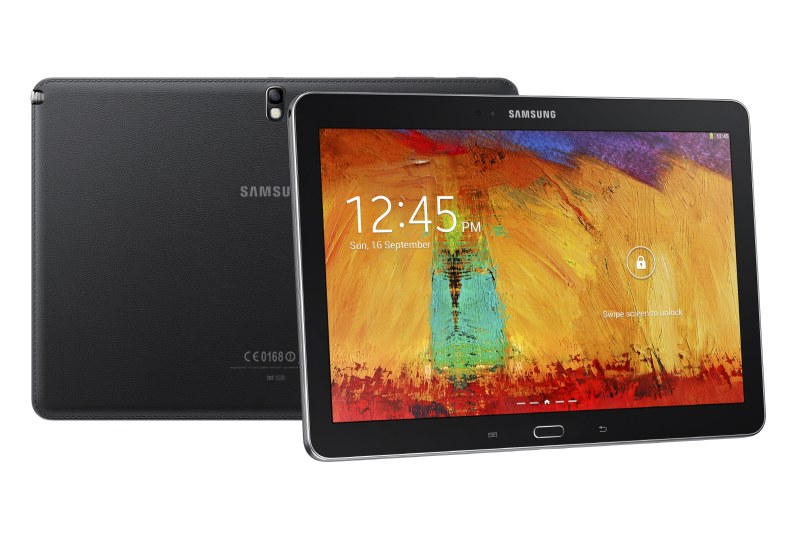
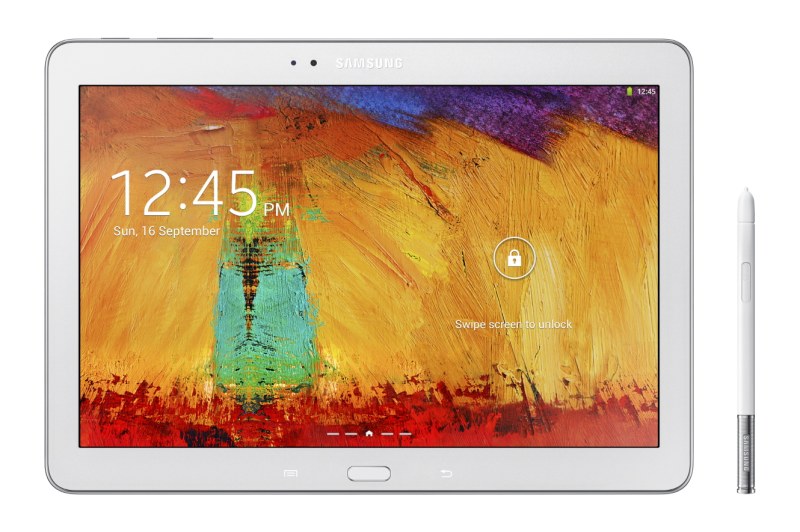
CES 2014: Samsung Announces Galaxy NotePro and TabPro tablets


In their pursuit for dominance in the tablet market in 2014, Samsung has announced, at its CES 2014 show, four new tablets under the NotePro and TabPro names. The Galaxy NotePro 12.2 takes the spotlight, while the Galaxy TabPro 12.2, 10.1 and 8.4 followed it. As the Pro designation suggests, these are high-end tablets, hence, they'll be on the expensive side. All four Galaxy Pro tablets feature 2560 x 1600 displays and are available in Wi-FI only and LTE versions, and are powered by either the Exynos 5420 processor or the Qualcomm Snapdragon 800.

Galaxy NotePro and TabPro 12.2

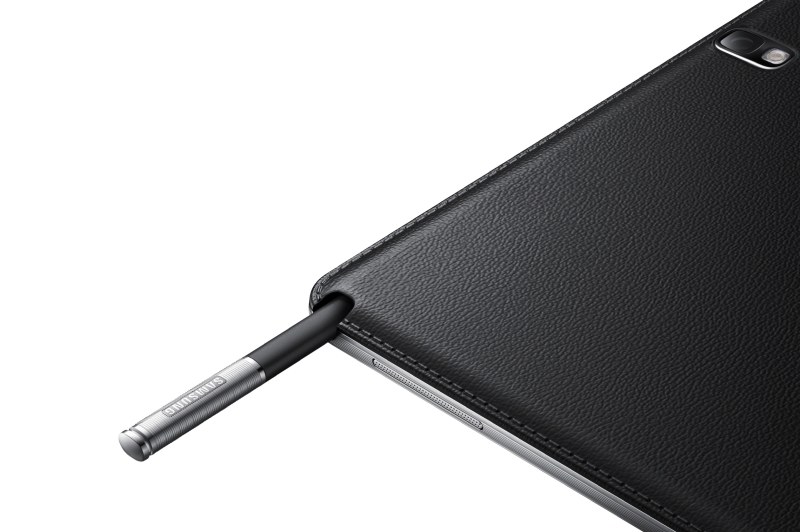
This is perhaps the most interesting of these four tablets. The Galaxy NotePro 12.2, basically a larger Note 10.1 (2014), explores a display size that is seldom used in tablets. Some people (me included) think that 12.2" is too large for a tablet, while others may appreciate the extra screen real estate. The NotePro 12.2 has a very high 2560 x 1600 resolution, which leads to a 247ppi pixel density, just shy of the iPad's 264ppi (but then again, 1600p is pretty much the limit for tablets for the time being). The tablet is 8mm thick and weighs 750g for the Wi-Fi version and 753g for the LTE version. It's a very heavy tablet due to its footprint, but I suppose that the weight must be well distributed. The Wi-Fi variant is powered by an Exynos 5420 processor, which consists of four ARM Cortex-A15 cores clocked at 1.9GHz and four Cortex-A7 cores clocked at 1.3GHz in a big.LITTLE configuration, plus a Mali-T628 6-core GPU, while the LTE variant uses a Snapragon 800 processor, which consists of four Krait 400 cores clocked at 2.3GHz, plus an Adreno 330 GPU. The tablet has an 8 MP rear camera with LED flash and a 2 MP front camera. It's powered by a huge 9,500 mAh battery, which should sustain the large, high-res screen and the powerful SoC for long periods of usage. Expect this tablet to be very expensive, maybe even a bit below Surface Pro 2 territory. 

The Galaxy TabPro 12.2 is identical to the NotePro 12.2, though obviously sans the S-Pen stylus. Without the S-Pen, the TabPro 12.2 is actually a bit lighter, weighing 732g. Logically, it'll be slightly cheaper than the NotePro 12.2, though still well above the average tablet price. 

Galaxy TabPro 10.1

Much like the Galaxy TabPro 12.2 is a NotePro 12.2 sans S-Pen, the Galaxy TabPro 10.1 is essentially a Note 10.1 (2014) without the stylus. It's actually thinner and lighter than the Note 10.1 (2014), probably due to the exclusion of the S-Pen, measuring 7.3mm thick and weighing 469g for the Wi-Fi only version, and the LTE version weighs 477g, making it one of the few tablets to match the iPad Air in thickness (it's actually a bit thinner) and weight (they weigh EXACTLY the same). Compared to the Note 10.1, the TabPro 10.1 sees a reduction in RAM capacity from 3GB to 2GB. The reason for that reduction? I have no clue. Apart from that, they're practically the same, with a 10.1" 2560 x 1600 display with a 299ppi pixel density, an Exynos 5420 processor for the Wi-Fi version and Snapdragon 800 silicon for the LTE model, 8 MP rear camera with flash and a 2 MP front camera and a 8,220 mAh battery. Given its similarity to the Note 10.1 (2014), I'm assuming the exclusion of the S-Pen means the TabPro 10.1 will be a bit cheaper than its Note counterpart, I'm betting on $499.

Galaxy TabPro 8.4

Finally, there's the iPad mini 2 competitor, the Galaxy TabPro 8.4. It has, as the name suggests, an 8.4" display with 2560 x 1600 resolution, which gives the tablet an industry-leading 359ppi pixel density. Unlike other TabPro and NotePro tablets, both the Wi-Fi and LTE versions of this tablet are equipped with a Snapdragon 800 processor, an unusual decision from Samsung. The TabPro 8.4 also comes with an 8 MP rear camera with flash and a 2 MP front-facing camera. Like the TabPro 10.1, this tablet comes with "only" 2 GB of RAM. It's very thin and light, measuring 7.2mm thick and weighing 331g for Wi-Fi only, and 336g for the LTE version. The power hungry components are fed by a respectable 4,800 mAh battery. Expect the Galaxy TabPro 8.4 to be priced competitively with the iPad mini 2. Some may still prefer the iPad mini, but the TabPro 8.4 is definitely the best mini tablet in the Android space. 

Conclusion

All of the four tablets will come with Android 4.4 KitKat running out of the box. Samsung's  new Magazine UX will also make a debut with these tablets. Expect the TabPros and the NotePro 12.2 to be released in February, while pricing is still not known for certain. But so far we've heard that the NotePro 12.2 Wi-Fi only will be sold for about $800, the TabPro 10.1 will be $499 and the TabPro 8.4 will cost $399. Though not officially confirmed, these prices seem very plausible.

Samsung has started 2014 very well in the tablet space. The NotePro and TabPro tablets offer flagship specs, with the biggest difference between them (in the case of the TabPro line) being the screen size, much like what Apple did this year with the iPad Air and iPad Mini Retina. Expensive as they are, The Galaxy Pro tablets are bound to be the greatest Android tablets this year, if not the greatest tablets in general. 

sexta-feira, 27 de dezembro de 2013

Samsung Galaxy Note 10.1 (2014 Edition) vs Microsoft Surface 2: Tablet Comparison


The holiday season is almost upon us, and so the biggest players in the tablet market finally have their latest flagships already available. The Surface 2, from Microsoft, and 
the Galaxy Note 10.1 2014 Edition, by Samsung, are some of the most interesting tablet 
flagships this holiday season. Both of them have very high-end specs, including high-resolution displays and powerful processors, along with a (perhaps too) high price tag. But which one is worth your money the most?

Galaxy Note 10.1 (2014 Edition) Microsoft Surface 2
 Body   243 x 171 x 7.9mm, 540g (Wi-Fi)/547g (LTE)   275 x 172.5 x 8.9mm, 676g 
 Display   10.1" TFT LCD 2560 x 1600 (299ppi)  10.6" ClearType 1920 x 1080 (208ppi)
 Connectivity   Wi-Fi, GSM (2G), HSDPA (3G), LTE (4G)  Wi-Fi
 Storage  16/32 GB, 3 GB RAM  32/64 GB, 2 GB RAM
 Camera (Rear)  8 MP with LED flash, Dual-camera, dual-recording and HDR and 1080p video  5 MP with LED flash and 1080p video
 Camera (Front)  2 MP with 1080p video  3.5 MP with 1080p video
 OS  Android 4.3 Jelly Bean  Windows 8.1 RT
 Processor  Wi-Fi: Exynos 5420 (Quad-core Cortex-A15 @ 1.9GHz + Quad-core Cortex-A7 @ 1.3GHz + Mali-T628 GPU)
 LTE: Qualcomm Snapdragon 800 MSM8974 (Quad-core Krait @ 2.3GHz + Adreno 330 GPU)
 NVIDIA Tegra 4 (Quad-core Cortex-A15 @ 1.7GHz + 72-core ULP GeForce)
 Battery  Non-removable 8,220 mAh
 Up to 10 hours of use
 Non-removable ~8,500 mAh (31.5 Wh)
 Up to 10 hours of use
 Accessories  - S Pen stylus  - Touch Cover 2 ($119)
 - Type Cover 2 ($129)
 - Power Cover ($199)
 Price  $549 (16 GB, Wi-Fi)  $449 (32 GB)


The two tablets, despite both being flagships, compete at different price points, which explains partially why the Surface 2's specs aren't as impressive as the Galaxy Note 10.1's.

Design

These two flagship tablets feature some very nice designs to go with the powerful hardware inside them and their high prices. In terms of materials the Surface 2 has the upper hand, because while the Galaxy Note 10.1 has a plastic back with a special texture that makes it look like leather (aka faux leather), the Surface 2's internals are protected by a durable magnesium alloy the Microsoft calls VaporMg. That gives the Surface 2 a premium look over the Note 10.1, and it's more durable too. The faux leather on the Note 10.1 might be appealing to some, but to others, including me, the leather imitation is not attractive. 

Despite its high-quality materials, the Surface 2 just falls short of its competitors when it comes to its size and weight. It's inevitably larger, since the screen is 1/2" larger than its Android rivals and is 0.9" larger than the iPad's screen, so we can't blame Microsoft for that. Not only that, but it's also thicker than most recent flagship tablets (the Galaxy Note 10.1 measures 7.9mm thick, and the iPad Air is 7.5mm thick) and much heavier, weighing 676g versus the Galaxy Note 10.1's 540g and the iPad Air's 469g. Of course some of that extra weight comes from the larger dimensions due to the larger screen, but that doesn't excuse the Surface 2 for being that heavy. It's still quite comfortable to hold, but the Galaxy Note 10.1 will definitely tire your arms less when holding the tablet for an extended period of time. The Surface 2 also has considerably larger bezels than its rivals. Considering the size of the screen, however, the bezel size is quite appreciable.

Of course, the Surface 2's built-in kickstand distinguishes it from all of its competitors. The new 2-stage kickstand is very useful, and is something you'd only be able to achieve on other tablets with covers like the iPad's Smart Cover, and considering the Surface 2's weight, you might find yourself using the kickstand more than you imagine. Also, one unique feature of the Surface 2 is its keyboard covers, which attach to the amazingly strong magnetic connector on the bottom side of the tablet and can also double as a cover for the screen. There are three options of keyboard covers, starting with the Touch Cover 2, which sells for $119 and this one features capacitive keys, which are now backlit, the Type Cover 2, which sells for $129, is thicker than the Touch Cover 2 with the benefit of having physical keys, which are also backlit. Finally there's the Power Cover, which will be available as of early 2014 for $199, and will be basically a Type Cover 2 with a built-in battery. Along with Microsoft Office RT 2013, the keyboard covers make the Surface 2 just about the most productive ARM tablet on the planet. 

The Galaxy Note 10.1 also has some productivity-oriented tricks up its sleeve with its S Pen digitizer, which comes included with the tablet and offers precise pen input for taking notes and other related tasks. 

Display

Of these two tablets, it's the Galaxy Note 10.1 2014 Edition that has the better display. While the display is smaller, measuring 10.1" diagonally, it packs much more pixels than the Surface 2, with a stunning 2560 x 1600 resolution and a top-notch 299ppi pixel density. Samsung's display also has excellent viewing angles and reproduces colors vibrantly and accurately. 

The Surface 2 packs a slightly larger 10.6" screen with a resolution of 1920 x 1080, resulting in a pixel density of 208ppi. Microsoft uses its so-called ClearType technology in the Surface 2, which means that the touch panel and the glass are laminated to the display, reducing reflections and thus making the tablet's screen more comfortable to use in direct light or outdoors. The display also has wide viewing angles, and like the Note 10.1 also reproduces accurate and saturated colors, although the Note 10.1 is still slightly more vivid. The difference in the two displays' pixel densities is quite easily noticeable when viewing text. The Note 10.1 is just completely devoid of any pixellation, while the Surface 2, while still very crisp, does show some pixellation in text if you look closely. 

The two displays have slightly different aspect ratios. While the Note 10.1 is 16:10, the Surface 2 is even wider with a 16:9 aspect ratio. So while the Note 10.1 is noticeably less wide, both screen share the same benefits and problems, for instance, they're excellent for watching videos, but while the Note 10.1 would show a very small amount of letterboxing, the Surface 2 should be devoid of any letterboxing. Both are also quite awkward to use in portrait mode, but the Note 10.1 is arguably a bit less awkward to use in portrait. In any case, both displays are excellent, but the Note 10.1 certainly outclasses the Surface 2 in every way, even if by a little. 

Processor

As flagship tablets, both of them are equipped with the latest and greatest silicon. The Surface 2 has a Tegra 4 processor, while the Galaxy Note 10.1 goes with a Snapdragon 800 beast for the LTE variant or Samsung's own Exynos 5420 processor for the Wi-Fi only version.

The Tegra 4 is NVIDIA's latest system-on-chip, and utilizes the 4-PLUS-1 architecture originally introduced in the Tegra 3, what that means is that there is one main CPU cluster, which is composed of four Cortex-A15 cores clocked at up to 1.9GHz with one core active (and 1.7GHz with more than one core active) and one additional shadow A15 core targeted for low frequency (up to ~825MHz) and low power consumption. When the CPU workload is very light, for example, when the device is idling, all processing transfers to the shadow core and the quad-core A15 cluster is power-gated, so that the shadow core can process these light tasks while consuming very low power, enhancing battery life. Performance-wise, the Cortex-A15 is one of the best performing mobile CPUs in existence, so CPU performance on the Surface 2 should be on par with the industry's greatest. 

The GPU in the Tegra 4 is a bit more disappointing. The shader architecture is the only one in the current mobile industry that is discrete rather than unified, and mind you, that's the architecture that most similarly resembles the Geforce 6000 series (which is very old indeed). Basically this means that, instead of each shader in the GPU being able to process pixel or vertex instructions based on the workload, there are separate pixel and vertex shader units. With a total of 72 shader cores (48 shader, 24 vertex) with a pretty high clock speed of 672MHz, the Tegra 4 actually packs a lot of processing power, despite its old architecture. As benchmarks will show, Tegra 4's GPU performance is somewhat behind the Snapdragon 800 and the Exynos 5420 processors used in the Galaxy Note 10.1, but considering that the Surface 2's GPU needs to push roughly half the amount of pixels compared to the Note 10.1, they're actually well-balanced performance-wise.

The Galaxy Note 10.1's Wi-Fi version is packed with an Exynos 5420 processor, more commonly known as Exynos 5 Octa. This processor uses ARM's big.LITTLE CPU architecture which, similarly to NVIDIA's 4-PLUS-1, has one high-performance CPU cluster and a second power-saving CPU cluster. The main cluster is very similar to the Tegra 4, containing four Cortex-A15 cores with a clock speed of 1.9GHz. Unlike the Tegra 4 though, which uses only one core in the power-saving cluster, Samsung went rather overkill and crammed in four low-power Cortex-A7 cores running at up to 1.3GHz. I'm not sure rather the Quad-core A7 @ 1.3GHz is more or less efficient in saving power than a single A15 @ 825MHz, but both solutions should have a similar effect on power consumption. In benchmarks, however, the Exynos 5420 is certainly very close to the Tegra 4, since their high-performing CPU clusters are practically identical. 

On the GPU side, the Exynos 5420 packs ARM's Mali-T628 GPU, which benchmarks prove to be a very powerful GPU and adequate for the Galaxy Note 10.1's high-resolution duties. Unlike the Tegra 4, the Mali-T628 is as modern as mobile GPUs go, as the shader architecture is unified and the GPU boasts full support of OpenGL ES 3.0.

The LTE Galaxy Note 10.1 is equipped with the industry leading Snapdragon 800 processor. This CPU in the Snapdragon 800 is a Quad-core configuration of Qualcomm's own Krait 400 CPU core, running at a max clock speed of 2.3GHz. The CPU is power-efficient enough so that an extra low-power CPU cluster isn't necessary here. In fact, one interesting ability of the Krait 400 core is that each core can run at a different clock speed depending on the workload put on each core, unlike the Cortex-A15, which has the same clock speed on all active cores. What's the advantage of that? For example, if the current workload requires two cores active, using one at full power but only processing light tasks on the second core, a Cortex-A15 CPU would put both cores on their highest clock speed, say, 1.9GHz, even though the second core is processing a light task and doesn't need the full 1.9GHz, while a Krait core, with the same workload, would put the first core on full power, in this case, 2.3GHz, and the second core at a lower clock speed adequate for its current task, say, 1.0GHz. This unique feature really helps increase power efficiency, and renders extra low-power CPU cores unnecessary. In terms of performance, its high clock speed and its strong core architecture make the Snapdragon 800 one of the fastest CPUs around, if not the fastest. 

The GPU in the Snapdragon 800 is the company's own Adreno 330. Since Qualcomm never discloses information about its GPU architectures, I'm left with very little to say about it, however, we do know that, like the Mali-T628, it has a modern architecture, with a unified shader architecture and full OpenGL ES 3.0 support. In general, the Adreno 330 does perform a bit better than the Mali-T628, but its performance is still pretty close to the Mali-T628. 

Now, with all that technical babble about architectures out of the way, let's get to actually testing these processors' performance in benchmarks, starting with Geekbench 3, which measures CPU and memory performance.

Note: The Galaxy Note 10.1's LTE edition isn't commercially available, so I had to take Snapdragon 800 benchmark results from the Note III, which runs the same software as the Note 10.1 and should therefore have almost identical results to the actual S800-powered Note 10.1. However, the difference in resolution (1080p vs 1600p) between the Note III and the Note 10.1 means I can't include onscreen GPU benchmark results for the Snapdragon 800.

Note (2): Unfortunately Geekbench 3 isn't available for Windows RT, so I can't include results for the Surface 2, so I took the performance results from an Android tablet whose processor most closely resembles the Surface 2's, the ASUS Transformer Pad TF701T, which is powered by a slightly higher-clocked Tegra 4.


The main current SoC flagships all have surprisingly similar CPU performance. The Tegra 4, Snapdragon 800 and Exynos 5420 offer very similar single-threaded performance, despite the architectural differences between the Krait 400 core and the Cortex-A15. The only clearly distinguished competitor here is the 64-bit Apple A7, but this is out of the scope of this comparison. When it comes to heavily-threaded tasks the Tegra 4 and the Exynos 5420 are practically identical (seeing as their CPUs ARE identical), along with the Apple A7, while the Snapdragon 800 takes the lead, though not by a big margin.

Evidently, the Galaxy Note 10.1's and the Surface 2's respective processors perform very similarly when it comes to CPU performance, so now let's check out some performance scores regarding the GPU performance with the popular cross-platform application, GFXBench. The two following tests are Offscreen test. That means that the GPU renders at a non-native, fixed 1080p resolution, so that differences between the devices' resolutions don't impact their performance.
In this test the Apple A7 takes the lead, followed closely by the Snapdragon 800. The Exynos 5420-toting Note 10.1 falls a bit behind, and the Tegra 4 in the Surface 2 receives a mediocre score compared to its competitors. Thankfully, the Surface 2 has less pixels to push than the Note 10.1, which will give it a performance advantage in the onscreen tests. 

In this test the Snapdragon 800 and the Exynos 5420 take the lead, with the A7 hot on its heels and the Tegra 4, again, yielding a rather mediocre score. 

Since the Note 10.1 has to push about a couple million pixels more than the Surface 2, it was the Tegra 4 that was faster in the Onscreen T-Rex HD test, but not by as much of a huge margin as two million less pixels would otherwise imply. In fact, I expect the Snapdragon 800-powered Note 10.1 will be able to match or even outperform the Surface 2 in this test, despite having twice the resolution. 

For the Egypt HD Onscreen test, not even the Surface 2's lower resolution helped it outperform the Note 10.1. Even with double the resolution, the Note 10.1 managed a much higher score than the Surface 2. In comparing the Surface 2's GPU performance to other Tegra 4 devices, I realized that the Surface 2 is in fact one of the worst performing Tegra 4 devices. That is probably because Microsoft chose one of the slower Tegra 4 SKUs for the Surface 2, and the CPU clock speed reduction from 1.9GHz to 1.7GHz might have come along with a GPU clock speed reduction from the full 672MHz, perhaps to 600MHz like on the 1.8GHz Tegra 4 in the Tegra Note tablet. At any rate, it's clear that the GPU performance in the Surface 2 isn't as good as the Galaxy Note 10.1

Power Consumption

From these two devices being compared, it's probably the Galaxy Note 10.1 that draws the most power. The first and most obvious cause is that it has much higher resolution screen to power. Also, while the SoC should be very power efficient due to its 28nm process (the Exynos 5420 is built on a 28nm High-K Metal Gate process, while the Snapdragon 800 uses a 28nm HPM process), but given the heavy duties that the GPU will be in charge of due to the high pixel count, it could become quite a power hog, especially when playing games. But the battery is very decently sized, which leads to Samsung's 10 hours of usage claim. 

The Surface 2 has, obviously, much less pixels to power, so the power consumption of the display is significantly lower. The Tegra 4 processor is also built on a 28nm process, so it won't get too hot or consume too much power when processing heavy tasks, like gaming. And while I can't compare the Surface 2's and the Galaxy Note 10.1's battery sizes directly, since Microsoft gives the battery size in watt-hours, and Samsung uses mAh, I can only compare them by estimating the Surface 2's capacity in mAh. Assuming that it's a 3.7V battery, the Surface 2 has around an 8,500 mAh capacity, which is actually slightly larger than the Samsung's 8,220 mAh battery. Then again, the battery voltage in the Surface 2 could easily not be 3.7V, which would lead to a different value altogether, but the safest bet (and that in itself isn't very safe) is 3.7V. Well, the extra thickness of the Surface 2 had to offer some advantage aside from the kickstand. Anyways, despite the lower display resolution and the (maybe) larger battery, Microsoft claims the same 10 hours of usage for the Surface 2, but in practice I'd expect the Surface 2 to outlast the Galaxy Note 10.1, even if only by a little. 

Pricing and Conclusion

Of course, the Surface 2's slightly weaker specs compared to the Galaxy Note 10.1 is justified by their different prices. The entry-level 32 GB Surface 2 sells for $449, while the 16 GB Wi-Fi only Galaxy Note 10.1 has a hefty $549 price tag. That's a $100 dollar difference for the same user-available storage capacity (as the Surface 2's OS leaves it only with about 17.5 GB of free disk space). The 64 GB Surface 2 (that has about 47 GB of free space initially) matches the 16 GB Note 10.1 at $549, while the 32 GB Note 10.1 will cost you $599. So clearly these tablets are competing at different price points. 

The Surface 2 is hands down the best tablet for productivity. With its handy two-stage kickstand and the new backlit Touch and Type covers, which act as much as keyboards as screen covers, as well as the Windows 8.1 RT operating system and the inclusion of Microsoft Office 2013 Home and Student make it by far the most productive tablet available. However, the relatively new Windows Store has many important apps available, but is still missing some key apps, like Instagram, and has nowhere near the amount of apps that the Google Play Store and the Apple App Store offer.

The Galaxy Note 10.1 2014 Edition is the polar opposite of the Surface 2. With a higher-resolution display and a very useful S-Pen stylus, as well as the vast app and media ecosystem offered by the Android OS and its associated app store, the Note 10.1 is up there with the iPad Air as one of the best tablets available for entertainment.

So it really comes down to whether you want a tablet that is geared towards productivity, i.e. a laptop replacement, or a tablet that offers the best for entertainment purposes. The difference in pricing is also a factor, as many will probably find the Galaxy Note 10.1 too expensive.

domingo, 24 de novembro de 2013

Apple iPad Air vs Samsung Galaxy Note 10.1 (2014 Edition): Tablet Comparison


The holiday season is almost upon us, and so the biggest players in the tablet market finally have their latest flagships already available. The iPad Air, from Apple, and the Galaxy Note 10.1 2014 Edition, by Samsung, are some of the most interesting tablet flagships this holiday season. Both of them have very high-end specs, including high-resolution displays and very powerful processors, along with a (perhaps too) high price tag. But which one is worth your money the most?

Apple iPad Air Samsung Galaxy Note 10.1 (2014)
 Body   240 x 169.5 x 7.5mm, 469g (Wi-Fi)/478g (LTE)  243 x 171 x 7.9mm, 540g (Wi-Fi)/547g (LTE)
 Display   9.7" IPS LCD 2048 x 1536 (264ppi)  10.1" TFT LCD 2560 x 1600 (299ppi)
 Storage   16/32/64 GB, 1 GB RAM  16/32 GB, 3 GB RAM
 Connectivity   Wi-Fi, GSM (2G), HSDPA (3G), LTE (4G)  Wi-Fi, GSM (2G), HSDPA (3G), LTE (4G)
 Camera (Rear)  5 MP with 1080p@30fps video, F/2.4 aperture, HDR, face detection  8 MP with LED flash, face detection and 1080p@60fps video
 Camera (Front)  1.2 MP with 720p@30fps video and face detection  2 MP with 1080p@30fps video
 OS  iOS 7  Android 4.3 Jelly Bean
 Processor  Apple A7 (Dual-core Cyclone @ 1.4GHz + PowerVR G6430 @ 450MHz) -Wi-Fi: Exynos 5420 (Quad-core Cortex-A15 @ 1.9GHz + Quad-core Cortex-A7 @ 1.3GHz + Mali-T628)
-LTE: Qualcomm Snapdragon 800 MSM8974 (Quad-core Krait 400 @ 2.3GHz + Adreno 330 @ 450MHz)
 Battery  Non-removable Li-Po 8,820 mAh
Video playback time: 10hrs
 Non-removable Li-Po 8,220 mAh
Video playback time: 10hrs
 Starting  Price  $499 (16GB, Wi-Fi)  $549 (16GB, Wi-Fi) 
 Accessories  --  S Pen


Design


Both Samsung and Apple have produced good designs for their flagship tablets, but it'll come down to the usual plastic vs aluminium debate, or in this case faux leather vs aluminium. While the iPad Air maintains its all-aluminium design, this time inspired on the iPad mini rather than the previous iPad, Samsung has done the same as it did with the Note III, replacing glossy plastic with a back casing that is still plastic, but is now disguised as leather. I'm not sure I appreciate the faux leather design at all. Personally, not only do I prefer the iPad's aluminium construction, but I think the faux leather looks so old-fashioned that even the glossy plastic they used previously may look better. That's just my opinion though, and ultimately it'll come down to personal taste. At least the faux leather gives the Galaxy Note 10.1 more grip than the iPad Air. The Galaxy Note 10.1 is available in black and white (bezel color included), and the iPad Air is similarly available in "Space" gray and silver. 

Both the Galaxy Note 10.1 and the iPad Air are remarkably thin and light. They are in fact one of the thinnest and lightest tablets available, but the iPad Air is definitely the winner in this department. It's technically thinner than the Note 10.1 (7.5mm vs 7.9mm), but the difference is so small it's practically unnoticeable to the user. While their thickness is one the same level, the iPad Air is significantly lighter than the Note 10.1 (469g vs 540g). In this case the difference in weight is definitely noticeable. The Note 10.1 is still lighter than most other tablets, though. 

Display

The display is possibly the area where these two tablets fare the best. Both are large, crisp, bright, and colorful. The iPad Air, much like two of its predecessors, has a 9.7" display with a 4:3 aspect ratio and a resolution of 2048 x 1536, which gives the screen 264ppi pixel density. The Note 10.1 has, like the name implies, a 10.1" display with a 16:10 aspect ratio that packs 2560 x 1600 pixels and has a pixel density of 299ppi.

Perhaps the most fundamental difference between the displays is the aspect ratio. The almost-square 4:3 display in the iPad Air makes it better to use in portrait mode, and is more suited for reading and web browsing, while the wide 16:10 display in the Note 10.1 makes it better suited for usage in landscape mode, and frankly makes portrait mode use a bit awkward, but is generally better for watching videos. 

You may think that the difference between 264ppi and 299ppi is huge, but honestly, it's hard to notice the Galaxy Note 10.1 being any crisper than the iPad Air, especially at the usual viewing distance. The difference is there, however, and any eagle-eyed person would probably notice a slight difference in sharpness. 

Leaving the numbers and quantitative data aside, both the Note 10.1's and the iPad Air's displays are sufficiently bright. Viewing angles are good, as is expected of any half-decent tablet these days, and colors are accurate and satisfyingly saturated in both tablets. 

Performance

Both of these tablets have the most powerful processors available to handle their ultra high-resolution duties. On the iPad Air we have the same A7 SoC found in the iPhone 5s and the Retina iPad mini, and on the Galaxy Note 10.1 we have either the Snapdragon 800 or a rare Exynos 5 Octa (5420) SoC for the LTE and Wi-FI models, respectively. All of these SoCs are built on 28nm process node to keep power consumption lower. 

The A7's CPU technology has gained quite a bit of popularity since its launch back in September. That's because its the first CPU to utilize the ARMv8 ISA, which happens to be a 64-bit architecture, hence also making it the first 64-bit mobile SoC. Apart from the new ISA, Apple made its new Cyclone CPU core the widest mobile CPU ever seen. With all that power packed into a single core, Apple needed no more than two of those cores with a relatively low 1.4GHz clock speed to match its competitors' performance. As benchmarks show, the dual-core Cyclone CPU @ 1.4GHz is perfectly capable of competing with the latest quad-core beasts, and since it packs much more power on a single core, the A7 really stands out from its competitors in single-threaded CPU benchmarks.

The CPU in the Exynos 5420 SoC in the Wi-Fi Galaxy Note 10.1 is one of the few CPUs to ultilize ARM's big.LITTLE technology. Based on the ARMv7 32-bit ISA, the Exynos 5420 contains two CPU clusters, one high-performance cluster to handle demanding tasks, and a low-power cluster for handling lighter tasks while reducing power consumption.The high-performance cluster contains four Cortex-A15 cores clocked at 1.9GHz, while the low-power cluster has four Cortex-A7 cores @ 1.3GHz. 

The Qualcomm Snapdragon 800 variant of the Galaxy Note 10.1 (the LTE version) has, like Apple, a custom CPU core dubbed Krait 400, based on the ARMv7 32-bit ISA. The Snapdragon 800 has four Krait 400 cores with an insane 2.3GHz clock speed. 


Like I said before, since the A7's Cyclone CPU has a 64-bit architecture and is wider than all of its competitors, it manages a much higher score in single-threaded CPU benchmarks. However, in multi-threaded applications the A7 has the disadvantage of having fewer cores compared to its competitors, however it can still definitely keep up with its quad-core competition. The multi-threaded test puts the A7 very close to the Exynos 5420, but both processors lag behind the Snapdragon 800.

With the CPU out of the way, let's focus on the GPU of the Galaxy Note 10.1 and the iPad Air. The A7 SoC follows Apple's tradition of licensing GPUs only from ImgTech, and so we have a PowerVR G6430 graphics processor in the A7. On the Wi-Fi Note 10.1's Exynos 5420 processor there's an ARM Mali-T628 GPU, and the LTE Note 10.1 has an Adreno 330 GPU. All of these GPUs are among the most powerful mobile GPUs available, so we turn to GFXBench to tell us which of these GPUs is the most powerful.
Note: Unfortunately there are no benchmark scores yet available for the Snapdragon 800-based Note 10.1, so I'm taking data from the closest match I could find, the Galaxy Note III with Snapdragon 800. However, I'll omit the Note III scores from the Onscreen tests due to the difference in resolution between the Note III and the Note 10.1.
The T-Rex HD Offscreen test shows the PowerVR G6430 in the iPad Air remarkably close to the Adreno 330, however the Mali-T628 GPU in the Wi-Fi Note 10.1 lags behind them both, but at least outperforms the NVIDIA Tegra 4 SoC in the ASUS Transformer Pad.

The lighter Egypt HD Offscreen test shows the iPad Air's GPU falling behing both the Wi-Fi Galaxy Note 10.1 and the Snapdragon 800-powered Galaxy Note III and puts the Snapdragon 800 at the top of the chart.

Note that since these two tests are rendered at a fixed, non-native resolution, the difference between the resolution of the Note 10.1 and the iPad Air don't affect the scores here. 


The Onscreen tests illustrate how the 1 million more pixels that these two Android flagships have to push versus the iPad Air bog down their performance. The T-Rex HD test shows that the iPad Air managed a much higher score compared to the Exynos-based Galaxy Note 10.1 and the Tegra 4 ASUS Transformer Pad TF701T. 

Since the Egypt HD test is much lighter than T-Rex HD the margin between the iPad Air and its competitors becomes narrower. However, it's still clear that the iPad Air, due to its significantly lower resolution, can push more frames than its 1600p Android competitors. 

Until the Snapdragon 800-based LTE Galaxy Note 10.1 gets released there's no data to indicate how it compares to the iPad Air in the Onscreen tests, although if I were to guess, I'd say that, even though the Adreno 330 is slightly more powerful than the PowerVR G6430 in the Apple A7, its performance advantage still won't be able to offset the resolution difference between it and the iPad Air.

Usually, the Onscreen tests would mimic most accurately real world gaming performance, given that Android and iOS games tend to run at the device's native screen resolution, but since the iPad 3 developers have been going another way: For specific ultra high-res devices, in order to avoid performance issues, the game runs at a lower-than-native resolution and then upscales to the device's screen resolution.  For example, a developer might program a game to run at 1920 x 1200 and then scale to 2560 x 1600 on the Galaxy Note 10.1 to keep framerates high. Given how the Galaxy Note 10.1's higher resolution obviously puts it behind its iPad competitor, it might be necessary for this sort of optimization to be made to keep a decent framerate in very demanding 3D games.

Conclusion

The Galaxy Note 10.1 and the iPad Air are in fact similar in many ways. They both have thin, light designs (although the plastic vs metal war continues with these flagships), displays with a very high resolution, large batteries and some of the best-performing SoCs available. 

In hardware terms, the iPad Air and the Galaxy Note 10.1 2014 Edition are indeed very similar, so it'll probably come down to software to determine which one is best for you. With the Note 10.1, we have Android 4.3 (and soon enough 4.4) with Samsung's TouchWiz UI added on top, and the iPad Air obviously runs iOS 7. 

The addition of the S Pen digitizer might make you choose the Note 10.1 over the iPad Air, but that'll be only if you really value the advantages that a stylus brings.

Selling for the usual $499 for the 16GB Wi-Fi version, the iPad Air is an expensive tablet, although not as expensive as the Galaxy Note 10.1, which sells for $549 for the 16GB Wi-Fi version. $549 is asking for a lot, so unless the S Pen is really useful for you or you really prefer the Android ecosystem, the iPad Air offers more bang for your buck than the Galaxy Note 10.1 2014 Edition.

quarta-feira, 4 de setembro de 2013

Samsung Galaxy Note 10.1 (2014) Announced at IFA 2013

Along with the awaited Galaxy Note 3 phablet, Samsung also announced a new iteration of the Galaxy Note 10.1 tablet. Preferring to just call it the Note 10.1 2014 Edition (but we're in 2013...), the new 10-incher Galaxy Note will be available in black and white colors. The rear camera will be of 8MP resolution and is capable of recording 1080p video at 60 fps, and the 10.1" display will have a top-notch resolution of 2560 x 1600 (299ppi). The tablet will be available with 16, 32 or 64 GB of storage and 3 GB of RAM. Like the Note 3, the Note 10.1 2014 will make use of a powerful Qualcomm Snapdragon 800 SoC (four Krait 400 cores @ 2.3GHz and Adreno 330 GPU).

As the Note designation implies, the tablet will be coupled with an S Pen stylus, which can prove to be very useful if you want to use your tablet for content creation. 

The tablet is expected to be released sometime this year, and will come with Android 4.3 out of the box with TouchWiz customizations. 

Samsung Galaxy Note 3 Announced at IFA 2013

Samsung has just unveiled the heavily rumored Galaxy Note 3 phablet. The device will be available in multiple colors, specifically, Black, White and Pink, and it'll pack a humongous 5.7" display of the AMOLED variety and with Full HD resolution. Under the hood, the device will pack a 3,200 mAh battery and 3 GB of RAM.

Samsung said that the Note 3 would be powered by a 2.3 GHz quad-core processor, but didn't specify the CPU architecture, but unless it's a Tegra 4i SoC (very unlikely) it has to be Qualcomm's powerful Snapdragon 800. For a recap, the Snapdragon 800 consists of four Krait 400 CPU cores clocked at 2.3GHz and the monstrous Adreno 330 GPU. Surprisingly, the Note 3 will also be capable of 4K video recording @ 30 fps. 

Like all Galaxy Notes before it, the Note 3 will come included with an S Pen stylus, allowing for precise pen input and enhancing the phablet's potential for productivity.

The Note 3 will be available globally as of September 25, and will ship with Android 4.3 Jelly Bean out of the box with the usual TouchWiz customizations.

quinta-feira, 27 de junho de 2013

Samsung Galaxy Tab 3 series announced; Budget tablets, at most

Samsung announced the third generation of its Galaxy Tab series of tablets, and guess what? they're all designed similarly to the Galaxy S4. The Galaxy Tab 3 7.0, 8.0 and 10.1 are all clearly budget tablets that don't carry any impressive specs. Since the Galaxy Tab 2 series also showed the same low-end trend, I believe Samsung intends to keep the Galaxy Tab line as a budget-conscious one.

Galaxy Tab 3 7.0
The Galaxy Tab 3 7.0 is Samsung's latest 7-incher, and it will be available for a very affordable $199, but even the low price tag doesn't justify its lackluster specifications. The display is specially poor, unfortunately, as it is a TFT with 1024 x 600 resolution, which results in a mediocre 170 pixel density (slightly more than the iPad mini's pixel density, but that's only due to the smaller display). So apart from not providing sharp text, the Tab 3 7.0's display looks like it won't offer vibrant colors and good viewing angles. Internally, this tablet is powered by a 4000 mAh non-removable battery. Almost nothing is known about the SoC at this point. All we know is that the Tab 3 7.0 will be powered by a dual-core 1.2GHz processor, so this tablet won't exactly be a good performer. The design concept is the same as the Galaxy S4, with a glossy plastic back and the 3.15MP camera (capable of 720p video recording) positioned in the top center of the device, and LED flash beside it. On the front there is, on the bottom, the home button and two soft buttons that nearly all Samsung devices have, and on top of the display is the Samsung logo and the 1.3MP front camera. The device isn't very thin, but not thick either, at 9.9mm and is very light at 302g

The Galaxy Tab 3 7.0 is expected to hit shelves later this year, and will be available in Wi-Fi only and 3G versions. The price for the Wi-|Fi only version with a poor 8GB of expandable storage is $199. Honestly, I can't think of any reason why someone would buy this tablet instead of the equally priced, albeit much better specced Nexus 7.

Galaxy Tab 3 8.0
The Galaxy Tab 3 8.0 is considerably better specced than the Tab 3 7.0, with a $299 price tag. Of course, the design, like the Tab 3 7.0, is very similar to the Galaxy S4. The difference between the Tab 3 7.0 and 8.0 is the 8.0 has much thinner lateral bezels to accommodate the larger display, which, by the way, is much more acceptable than the Tab 3 7.0. This 8" display has a higher resolution of 1280 x 800, which results in a 189 pixel density, which is not bad.  The TFT display doesn't sound like it'll boast particularly vibrant colors or wide viewing angles, though. The Tab 3 8.0 is considerably thinner than the Tab 3 7.0 (7.4mm vs 9.9mm), practically as thin as the iPad mini, and is also very light for its size, weighing 314g. This tablet is equipped with two cameras: a rear 5MP camera, with an LED flash and capable of shooting 720p video, and a 1.3MP front-facing camera. The Tab 3 8.0 brings back from the dead the old Exynos 4212 SoC (its only other appearance was in the original Galaxy Note), which is a 45nm based SoC containing two Cortex A9 cores at a slightly higher 1.5GHz clock and (naturally) a Mali-400MP GPU and an unusual 1.5 GB of RAM memory. The battery is slightly larger than the one used in the Tab 3 7.0, being a 4450 mAh unit.

The Galaxy Tab 3 8.0 is expected to debut at the same time as its 7-inch sibling in Q3, the 16 GB version shipping for a $299. It puts this tablet in a good position, as it is comparable to the iPad mini, yet $30 cheaper.

Galaxy Tab 3 10.1
Finally, there's the 10-inch Galaxy Tab 3. This tablet actually distinguishes itself from most Android tablets because it uses Samsung's usual hardware home button and the two capacitive buttons, hence there are no onscreen buttons displayed, which gives the display a cleaner look, and also allows for more screen real estate to be used. This could be a selling point for this tablet.
The Tab 3 10.1, unlike its smaller counterparts, is tailored for use in landscape mode, so its designed Galaxy S4 style, only in landscape. made of the same glossy white plastic, the Tab 10.1 is very thin for its size, measuring 8mm, and it's also extremely light, weighing 510 grams. So this tablet is 1.4mm thinner and an impressive 140g lighter than the latest iPad. However, such a minimalist design comes at a price, for instance, the lackluster display. I mean, 1280 x 800 pixels in a 10.1 inch screen (149ppi) is just far too low for today's standards. Even ASUS' $299 budget tablet has a 1920 x 1200 display. At any rate, in my opinion this is a great deal-breaker for this tablet. The trend has been that OEMs are realizing that tablets aren't good for taking photos, so some latest 10-inchers haven't put any emphasis on their cameras, and this is apparent with the Tab 3 10.1, as its rear facing camera is of 3.15MP with 720p video, and the front-facing camera is a standard 1.3MP. Internally, the Tab 3 10.1 consists of a 6800 mAh battery, which should be well suited for its specs, and in a weird move, Samsung ditched its own Exynos SoCs in favor of an Intel Atom Z2560 SoC, a 32nm based SoC with a dual-core Saltwell CPU (four threads thanks to HT) at 1.6GHz. A PowerVR SGX 544MP2 should offer very good gaming performance, especially with the low resolution of the tablet. The GPU's base clock is of 400MHz, which for this GPU should offer performance somewhere between the iPad 2 and 3 (but because of the lower resolution it could be actually in between the iPad 3 and 4). So this tablet won't win any benchmarks, but it's enough for a decent experience. The Tab 3 10.1 will ship with 1 GB of RAM (less than the Tab 3 8.0, how strange....).

The Galaxy Tab 3 10.1 should debut around Q3, like the rest of the Galaxy Tab 3 line, and it will be available in Q3. It will sell in Wi-Fi only, 3G, and LTE versions, with the 16 GB Wi-Fi only entry level Galaxy Tab 3 10.1 costing $399. Personally, I think Samsung's pricing is pretty bad here, because for $100 less you can get an ASUS tablet with a Full HD display, and for the same price you can get a top end Nexus 10. So, again, I don't see any reason to buy this tablet when there are better specced competitors for the same or even a lower price.

sexta-feira, 8 de março de 2013

Samsung Galaxy Note 8.0 preview


Samsung has been giving Apple a hard time with its increasingly popular mobile devices. For some time last year, Samsung's flagship smartphone, the Galaxy S III, beat the iPhone in terms of sales, and now Samsung is showing interest in competing with Apple's iPad series in the tablet market. Having already a competitor in the 10-inch tablet market (Galaxy Note 10.1), Samsung now prepares a tablet destined for competing with smaller tablets. The Galaxy Note 8.0 isn't supposed to compete in the budget-centered 7" market, which includes the Nexus 7 and Kindle Fire, but is more destined to compete with the not so budget-centered 8"-ish Apple iPad mini. The Galaxy Note 8.0 was officially announced at MWC, and looks like a promising competitor. Check out the full specification sheet for both the Wi-Fi only and 4G LTE versions of the Note 8.0

The Galaxy Note 8.0 follows closely a kind of design that emerged with the Galaxy S III, and was present in most subsequent Samsung phones as well as the Note II phablet. The corners are very curved, and the back is made of plastic, with the 5MP camera, which can shoot up to 1080p video, situated at the top center of the device. Like every other small tablet out there, the Galaxy Note 8.0 is clearly oriented for portrait mode usage. On the bottom there is the usual centered home button, and on either side of the button there are two capacitive buttons. On the top we have a Samsung logo, and above it are the 1.3MP front camera and some sensors. The Galaxy Note 8.0, much like every other member of the Note family, comes with a nifty S-Pen, a stylus which is an excellent alternative to touch input. The display of the Galaxy Note 8.0 isn't exactly breakthrough, but on a lower-price market like the 7-8" tablet market, the display isn't shabby at all. The 8" TFT display has a 1280 x 800 resolution, the same resolution found on the Nexus 7. The pixel density, therefore, is a nice 189ppi, which is between the 216ppi display of the Nexus 7 and the 163ppi of the iPad mini. Not shabby at all, like I said. 

In terms of performance, the Note 8.0 isn't a benchmark champion, nor does it boast particularly new technology, but still, it is much better than both the iPad mini, with its aged Apple A5 (32nm version) SoC, and the Nexus 7, which has an NVIDIA Tegra 3 processor, (and pretty much every other small tablet). The Note 8.0, in fact, comes with Samsung's very own Exynos 4412 processor, which boasts four ARM Cortex-A9 cores clocked at a high 1.6GHz, as well as a higher clocked Mali-400MP GPU. This is actually the very same chip found inside the Note II, therefore, the Note 8.0 should provide nearly identical performance to the Note II (especially because they both have the same resolution). The Note 10.1, which has a similar SoC, only with a 1.4GHz CPU, should also almost equal the Note 8.0 in terms of performance. 

The Galaxy Note 8.0 comes with a 4600mAh battery, and comes in 16 and 32 GB versions, as well as Wi-Fi and LTE versions. The expected release date for the Galaxy Note 8.0 is somewhere around Q2 2013, and once it does, I personally take a good chunk out of iPad mini sales, but I think the Nexus 7 will still be the top seller of the small tablet market, due to its very good quality relative to its very low p